

Owner / operator
Keep the customer, pool, team, service, and commercial picture connected as the business grows.

Pool Service Software
AvenBlu connects customer and pool context to scheduling, route work, technician execution, service documentation, homeowner history, and the quotes, jobs, and invoices that follow when repairs are needed.
AvenBlu is designed for growing pool-service teams that need customer context, scheduling, field execution, documentation, and follow-through to stay connected. It does not assume every facility or enterprise workflow is the same.
Keep the customer, pool, team, service, and commercial picture connected as the business grows.
Coordinate appointments, recurring schedules, route days, ordered stops, and assigned team members.
Review active work, service documentation, repair follow-up, and the history attached to each pool.
Work from assigned appointments and routes, document the visit, and safely complete or skip service.
The public product story follows the same canonical architecture as the provider workspace—no separate marketing-only workflow.
Step 1
Step 2
Step 3
Step 4
Step 5
Step 6
Step 7
Step 8
Connected service loop
Context moves with the work
Shared pool
Schedule
Route day
Visit proof
History
Repair and commercial extension
Customer + pool context
AvenBlu keeps the customer relationship connected to the saved pool, equipment context, chemistry and service history, documents, and owner-controlled provider sharing. That continuity gives the office and authorized field team a clearer starting point without turning private pool records into open access.
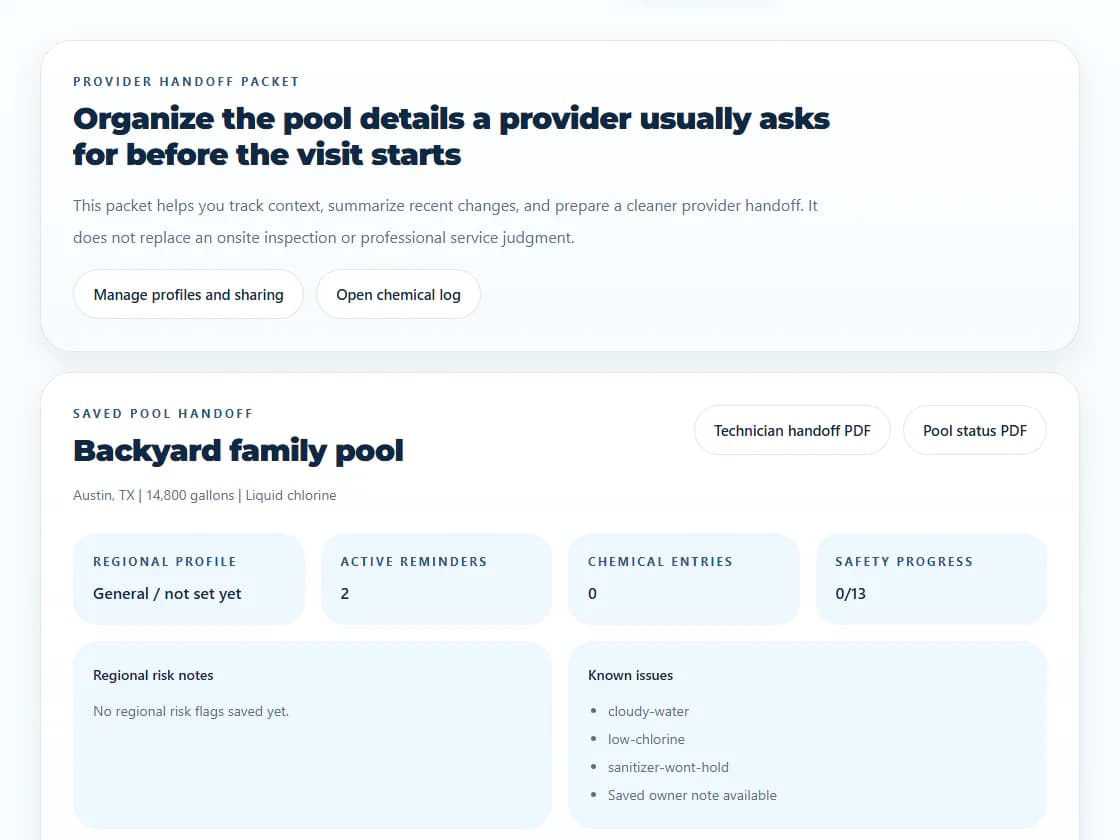
Saved pool details, equipment context, chemistry history, and service records stay connected to the customer relationship.
Pool Passport access follows customer/provider authorization and can be revoked instead of becoming blanket account access.
Uploads retain pool, provider, service, and uploader context while separating customer-visible media from provider-internal records.
Provider appointments and recurring schedules feed route days, ordered stops, technician assignments, and the open, completed, or skipped lifecycle the office needs to reconcile.
Teams can organize route days, maintain stop order, assign technicians, hand an address to an external maps app, and reconcile arrival, departure, completion, skip, and still-open states.
Ordered stops are not automatic route optimization, dynamic dispatch optimization, predictive routing, or continuous GPS fleet tracking.
Technician field workflow
AvenBlu's mobile-ready technician workflow covers assigned appointments and route work, external navigation handoff, service execution, documentation, and recent completed work. The Android field foundation is real; broad public Play Store or iOS availability is not claimed.
Offline + retry-safe field work
Versioned in-progress drafts can preserve active form work. Connectivity-aware reconciliation compares that recovery state with the canonical service visit, while stable retry tokens and idempotent mutations make Start, Complete, and Skip safe to retry.
A dropped connection should reconcile to the persisted visit instead of creating duplicate completions or side effects.
Service-photo retry metadata can be preserved for deliberate manual retry.
Uncertain lifecycle mutations are not automatically submitted later in the background.
AvenBlu connects field documentation to the authorized service record so the office, provider team, and homeowner can see the right level of continuity. These are service records, not legally certified inspection reports.
Chemistry readings
Service checklist data
Equipment observations
Service notes
Photos and documents
Proof-of-service records
Customer-visible media can support homeowner proof and Pool Passport history. Provider-internal media stays inside the provider authorization boundary rather than leaking into the homeowner view.
Service and commercial records connect back to the pool instead of disappearing into disconnected notes, helping the next authorized person understand what happened and what comes next.

Quotes, jobs, repairs + invoices
Reusable line-item templates support repair opportunities and quotes. Homeowners can approve or decline, accepted work can become a job and route visit, and the provider can create invoice lines and PDFs that remain connected to Pool Passport history.
AvenBlu can record an external or offline payment against an invoice. That is an auditable ledger record, not direct customer payment processing, payroll, tax filing, or an accounting-system replacement.
Team roles + access
Provider organizations use membership roles and capabilities. Technician invitations attach to a verified AvenBlu identity, assigned technicians receive narrower work-scoped access, and Pool Passport access still depends on the customer/provider authorization boundary.
Homeowner continuity
Homeowners already use AvenBlu for chemistry guidance, the Pool Calculator, saved pools, Pool Plans, Pool Passport, documents and history, and provider discovery. Authorized provider work can continue into that owner-controlled pool record instead of ending at a generic work order.
The product is substantial without pretending to include every generic field-service, accounting, payroll, fleet, or compliance feature.
Current provider pricing comes from the same provider catalog used by AvenBlu's pricing and billing paths. Start with a walkthrough or free listing before deciding.
Starter
Solo providers and small teams.
Growth
Teams handling recurring service requests and multiple customer pools.
Pro
Established pool companies and high-volume providers.
Custom
Franchises, multi-location operators, and custom rollouts.
These answers describe the current product and its boundaries, including field resilience, route ordering, owner authorization, and external payment records.
Yes. Providers can use recurring service schedules, route days, ordered route stops, assigned team members, and a service lifecycle that keeps completed, skipped, and still-open work reconciled.
Yes. AvenBlu has a mobile-ready technician workflow and an Android field foundation for assigned appointments, route work, service execution, recent completed work, and external map navigation handoff. Public app-store distribution is not implied.
In-progress field drafts can be preserved locally and reconciled with the canonical service visit when connectivity returns. Stable retry tokens and idempotent start, complete, and skip mutations are designed to avoid duplicate lifecycle results; uncertain actions are not silently submitted in the background.
Yes. Authorized technicians can capture chemistry readings, checklist results, equipment observations, notes, and private service media for their assigned work. Customer-visible and provider-internal media remain separate authorization scopes.
Yes. The current commercial flow connects repair opportunities, reusable quote line-item templates, homeowner approval or decline, jobs, route and service execution, and the resulting history.
Yes. Providers can create invoices and invoice line items, link them to the commercial and service workflow, and generate quote and invoice PDFs.
No. The provider workflow can record external or offline payments against an invoice, but that ledger is not direct credit-card processing and does not replace a provider's payment processor.
Authorized service and commercial history can flow into the homeowner's Pool Passport, including service context and customer-visible documents or media. Provider-internal material remains private.
The pool owner controls provider sharing. Server-enforced customer and provider authorization determines which pool context, history, and media an organization or assigned technician can access, and sharing can be revoked.
No. AvenBlu supports route days, ordered stops, technician assignment, lifecycle reconciliation, and external navigation handoff. It does not currently claim automatic or predictive route optimization.